 Mac Bluetooth
Stream Deck Bluetooth Control
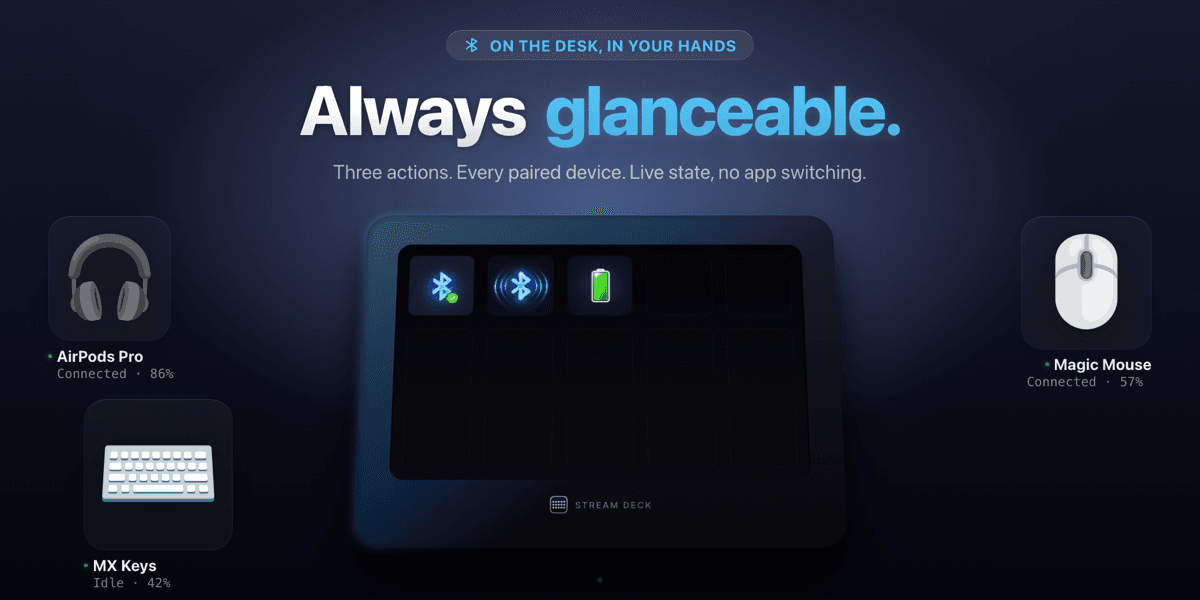
Switching Bluetooth devices on macOS means clicking through System Settings, finding the device, waiting for the list to load, and clicking Connect - every single time. Mac Bluetooth brings that down to one key press. The free edition covers the three essentials: toggle a paired device, toggle the Bluetooth radio, and read a device's battery level, each key following the real system state. Mac Bluetooth Pro adds six more actions - switch the Mac's sound output or input through CoreAudio, mute the system microphone with an audible confirmation, run a multi-step Device Scene, swap between two devices with one key, and browse paired devices on a Stream Deck + dial - plus a low-battery alert, a keep-connected watchdog, and battery drawn straight on the key. Every system operation goes through a Swift helper talking to IOBluetooth and CoreAudio directly. macOS 13 or later, Stream Deck app 6.9 or later.
Highlights
How it Works
Install from Elgato Marketplace
Add Mac Bluetooth free, or Mac Bluetooth Pro for all nine actions. It auto-installs into your Stream Deck app.
Add a Device Button
Drag an action onto a key and pick the paired device, sound output, or scene steps it should control.
Press to Control
One press acts, and the key keeps showing the live connection, audio, or battery state.
Features
One-Press Device Toggle
Connect or disconnect any paired Bluetooth device with a single key. The key follows the real state, so changing it from System Settings is reflected on the deck.
Switch Sound Output and Input
On Pro, move the Mac's audio through CoreAudio: pin a key to one output or step through several, and do the same for microphones. The key shows what is active now.
System Microphone Mute
On Pro, mute the Mac's own input for every app at once, with a distinct system sound for muted and live - because a muted microphone is otherwise invisible.
Device Scenes and Swap
On Pro, one key can run an ordered list of steps - connect this, disconnect that, set the output, mute the mic - or swap between two devices on each press.
Battery and Low-Battery Alert
Read a device's charge at a glance. Pro draws the percentage on the key and turns it red below a threshold you pick, optionally with a notification and a sound.
Native Swift Helper
A Swift companion binary talks to IOBluetooth and CoreAudio directly, so connection, power, and audio changes are proper system calls, not scripted UI clicks.
Stream Deck + Dial
On Pro, rotate the dial to browse paired devices and press to connect or disconnect, with the name, state, and battery level on the touch strip.
Use Cases
Podcast & Streaming Audio
Switch the Mac's output and input between headphones, speakers, and your interface as you go from monitoring to recording to live.
Meeting Audio Management
Connect your headset, route audio to it, and mute the system microphone from three keys - without opening System Settings mid-call.
One-Key Desk Setup
A Device Scene connects the headphones, disconnects the speaker, sets the output, and unmutes the mic in one press when you sit down.
Who it's For
Content creators, podcasters, streamers, and Mac power users with an Elgato Stream Deck who switch Bluetooth devices and audio routing throughout the day.
Ready to try Mac Bluetooth? See it in action.
Visit Mac BluetoothFAQ
It puts your Mac's Bluetooth on Stream Deck keys: connect or disconnect a paired device, toggle the radio, read battery, and on Pro switch sound output and input, mute the system microphone, run device scenes, and swap devices - each in one press.
Free covers Toggle Device, Toggle Bluetooth, and Battery Status. Pro adds Audio Output, Audio Input, Mute Microphone, Device Scene, Swap Devices, and the Stream Deck + Device Dial, plus the low-battery alert, the keep-connected watchdog, custom icons and captions, and battery drawn on the key.
Yes. The key follows the real system state, so it shows whether the device is connected, disconnected, or transitioning - including when you change it from System Settings instead of the deck.
Yes, on Pro. Audio Output and Audio Input go through CoreAudio: configure one target and the key switches to it, or configure several and each press steps to the next. The key shows the current device and follows changes made anywhere else in macOS.
macOS 13 or later and the Stream Deck app 6.9 or later. It is macOS only. Connecting devices and toggling the radio ask for Bluetooth permission the first time; reading battery and switching audio do not.
Want something like Mac Bluetooth?
KUBERSTAR designed and built Mac Bluetooth. Tell us what you have in mind and the same team can build it for you.
More to Explore
 GPT Deck
A Stream Deck plugin that sends a prompt plus your selected or copied text straight to ChatGPT from a single key, and brings the reply back where possible.
 Notion Deck
Single-tap Notion for Stream Deck - capture into any database, navigate your workspace, and live-count records from physical buttons, with no modals.
 Burndown
A Stream Deck plugin that puts your Claude usage on a physical key - what is left of your window, the time to reset, a sustainable pace, and when you will lock out.
 A Kuberstar Product