 Burndown
Claude Usage Tracker on Stream Deck
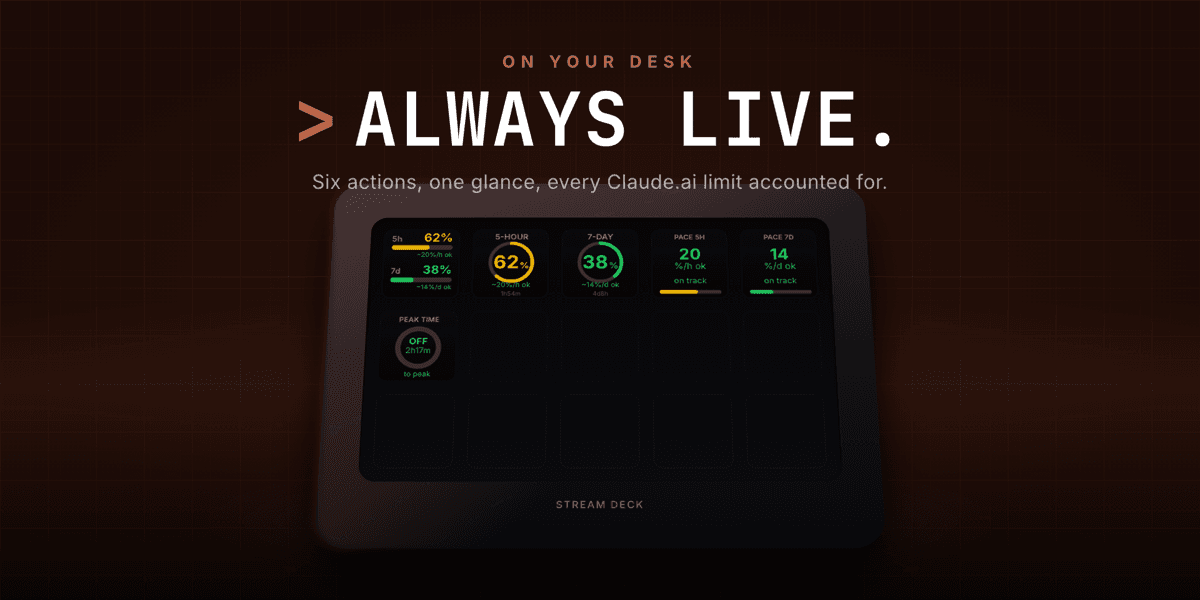
Burndown keeps your Claude usage in view without a browser tab. The free edition puts your 5-hour and 7-day windows on the key - percent used, time to reset, and a sustainable pace - with severity colors shifting green to yellow to orange to red. Burndown Pro adds a lockout clock projecting when you will actually run out, a reset forecast, a usage sparkline, weekly stats, a personal budget plan, and native notifications, and on multi-account setups tells you which account has the most headroom right now. Not affiliated with Anthropic.
Highlights
How it Works
Install from Marketplace
Add Burndown free, or Burndown Pro for the full set, from the Elgato Marketplace.
Connect Your Account
Add your Claude session token in the property inspector and test the connection. Several accounts can be added, and each key picks which one it shows.
Add Your Keys
Drop the overview, window, pace, or any Pro action onto the keys you like.
Watch It Live
Your windows fill in real time with rings, reset times, and severity colors, on an update interval you choose.
Features
Usage at a Glance
Read the exact percentage of your 5-hour and 7-day Claude usage windows used, without opening a browser tab.
Rings & Time to Reset
Each window shows a progress ring and the time remaining until it resets, right on the key - and on a Stream Deck + touch strip as a gauge.
Sustainable Pace
See the percent-per-hour and percent-per-day rate that keeps you on track through the next reset, so you do not burn a window early.
Lockout Clock & Forecast
On Pro, get the wall-clock time your soonest window is projected to lock from your live burn rate, plus your projected utilization at the reset.
History, Stats & Budget
On Pro, a live sparkline of recent utilization, seven days of peak usage as bars with a week-over-week trend, and a personal spend target with an ahead or under-plan readout.
Multi-Account Headroom
Bind each key to one of several accounts, and on Pro let Best Account name the one with the most headroom right now, runner-up beneath.
Alerts You Can Feel
Colors shift from green through yellow and orange to red, any key flashes past a threshold you set, and Pro adds native macOS and Windows notifications.
Use Cases
Heavy Claude Users
Know how much of your window is left before you hit a limit mid-prompt.
Planning a Session
Check your sustainable pace and lockout clock before starting work you cannot afford to have cut short.
Always-On Awareness
Keep usage in peripheral vision instead of tab-switching to the usage page.
Who it's For
Claude power users who live in Claude all day and want their usage windows on a physical key instead of a browser tab.
Ready to try Burndown? See it in action.
Visit BurndownFAQ
Your Claude usage, right on a Stream Deck key - the percent used and time to reset for both your 5-hour and 7-day windows, plus a sustainable pace, without opening a browser tab.
Free covers the usage overview, both windows, and both pace keys. Burndown Pro adds the lockout clock, reset forecast, usage history sparkline, weekly stats, budget plan, best-account picker, and native notifications.
Each window has a progress ring and a time-to-reset readout, the colors shift from green through yellow and orange to red as usage climbs, and any key flashes once it crosses the alert threshold you set.
It is the rate - percent per hour for the 5-hour window, percent per day for the 7-day one - that keeps you on track through the next reset, so you do not burn a window early.
Stream Deck on macOS and Windows. You add your Claude session token in the property inspector to start tracking. Burndown is not affiliated with Anthropic.
Want something like Burndown?
KUBERSTAR designed and built Burndown. Tell us what you have in mind and the same team can build it for you.
More to Explore
 GPT Deck
A Stream Deck plugin that sends a prompt plus your selected or copied text straight to ChatGPT from a single key, and brings the reply back where possible.
 Notion Deck
Single-tap Notion for Stream Deck - capture into any database, navigate your workspace, and live-count records from physical buttons, with no modals.
 Mac Bluetooth
Run your whole Bluetooth desk from Stream Deck keys on macOS - connect devices, switch sound output and input, mute the mic, and see battery at a glance.
 A Kuberstar Product