

Embossa
iPhone · TestFlight now, App Store next
The notary journal that also knows who owes you.
For mobile notaries and loan signing agents: the journal entry, the fee, the miles and the invoice for a signing, recorded in one pass, offline. Your journal stays on your iPhone.
We are looking for a few working signing agents to use it on real signings before the App Store release. Email us and we will send the invite.
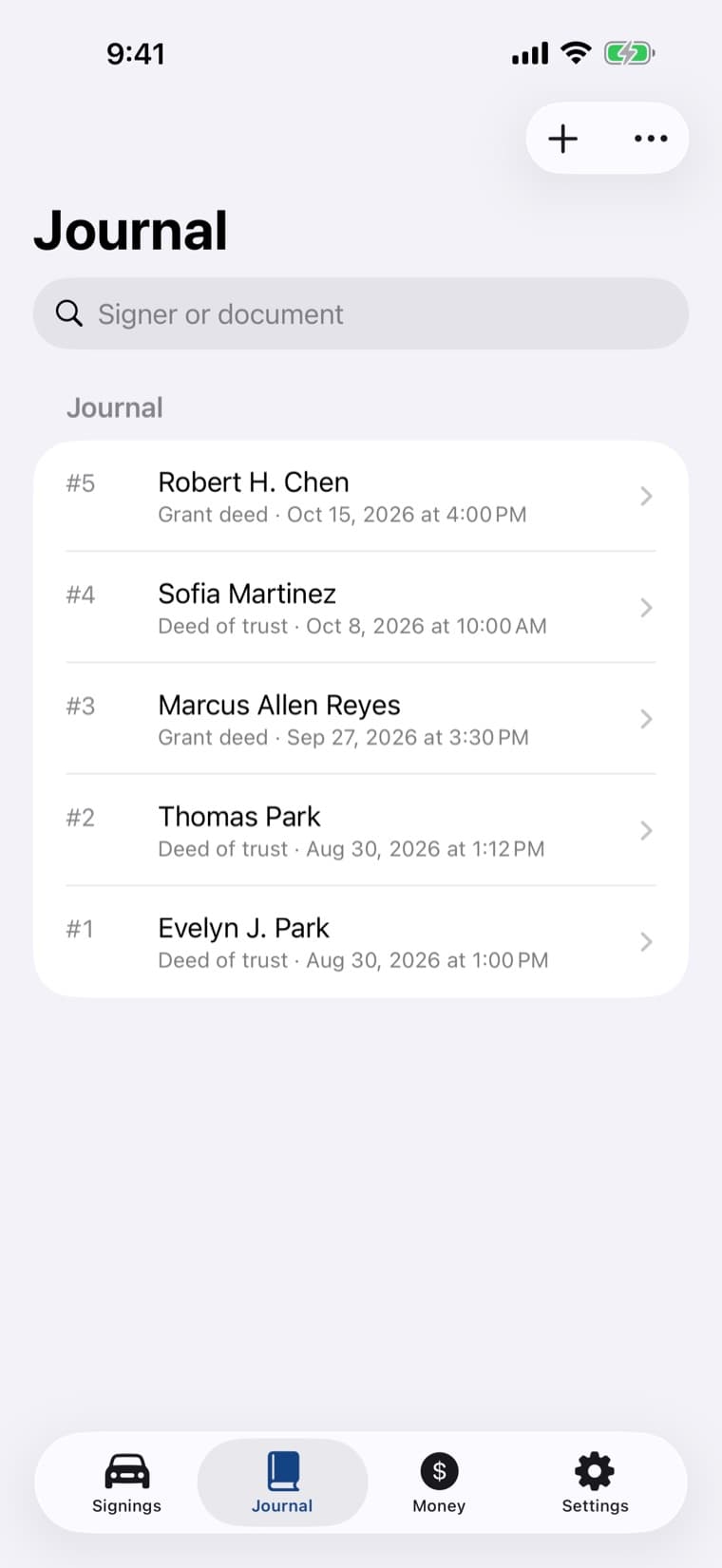
Four records that used to live in four places.
A paper journal, a mileage log, an invoice template and a spreadsheet of who has not paid. In Embossa they hang off the same signing, so a repeat signing for a title company you already work with is a few taps.
01
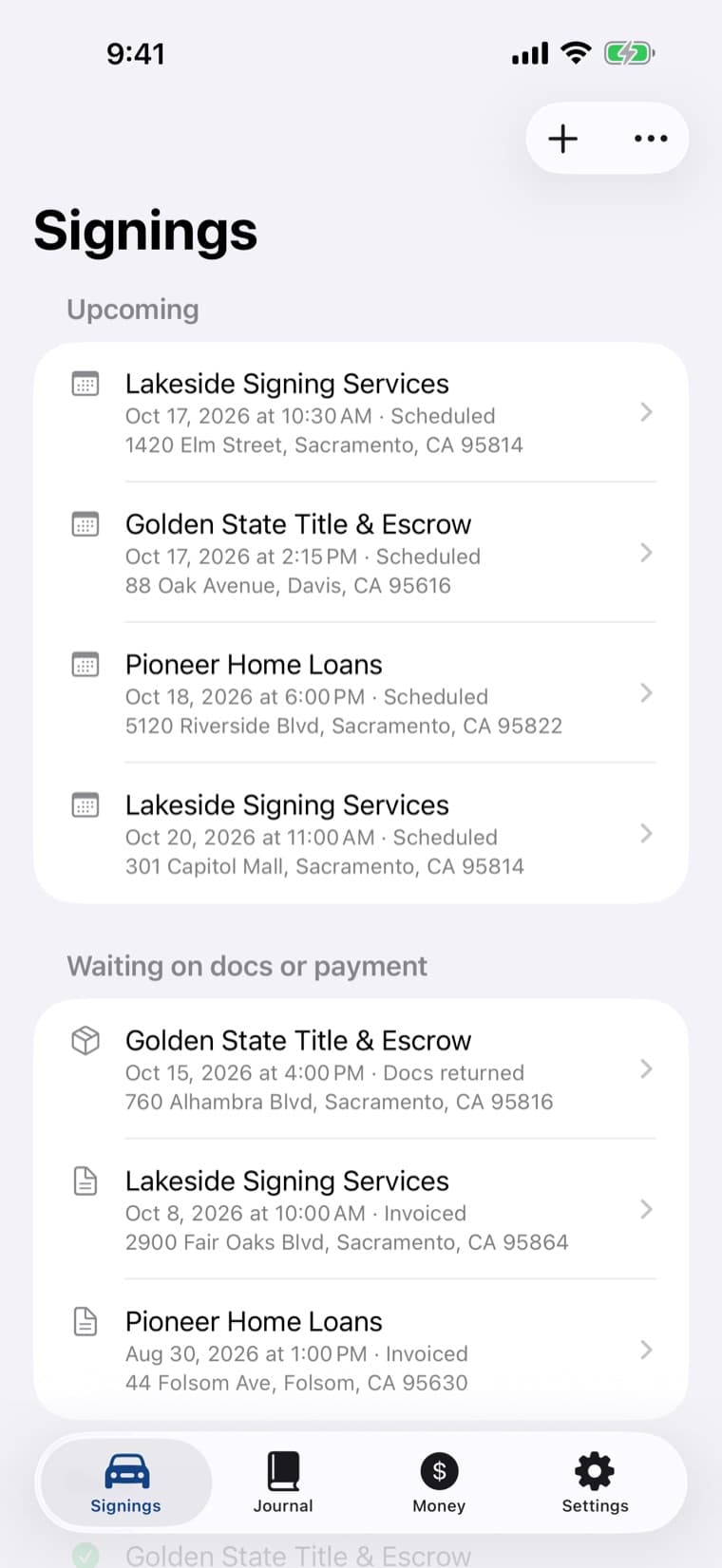
Start the signing
Client, address and time. Share the order email or PDF to Embossa and it opens filled in, read on the phone.
02
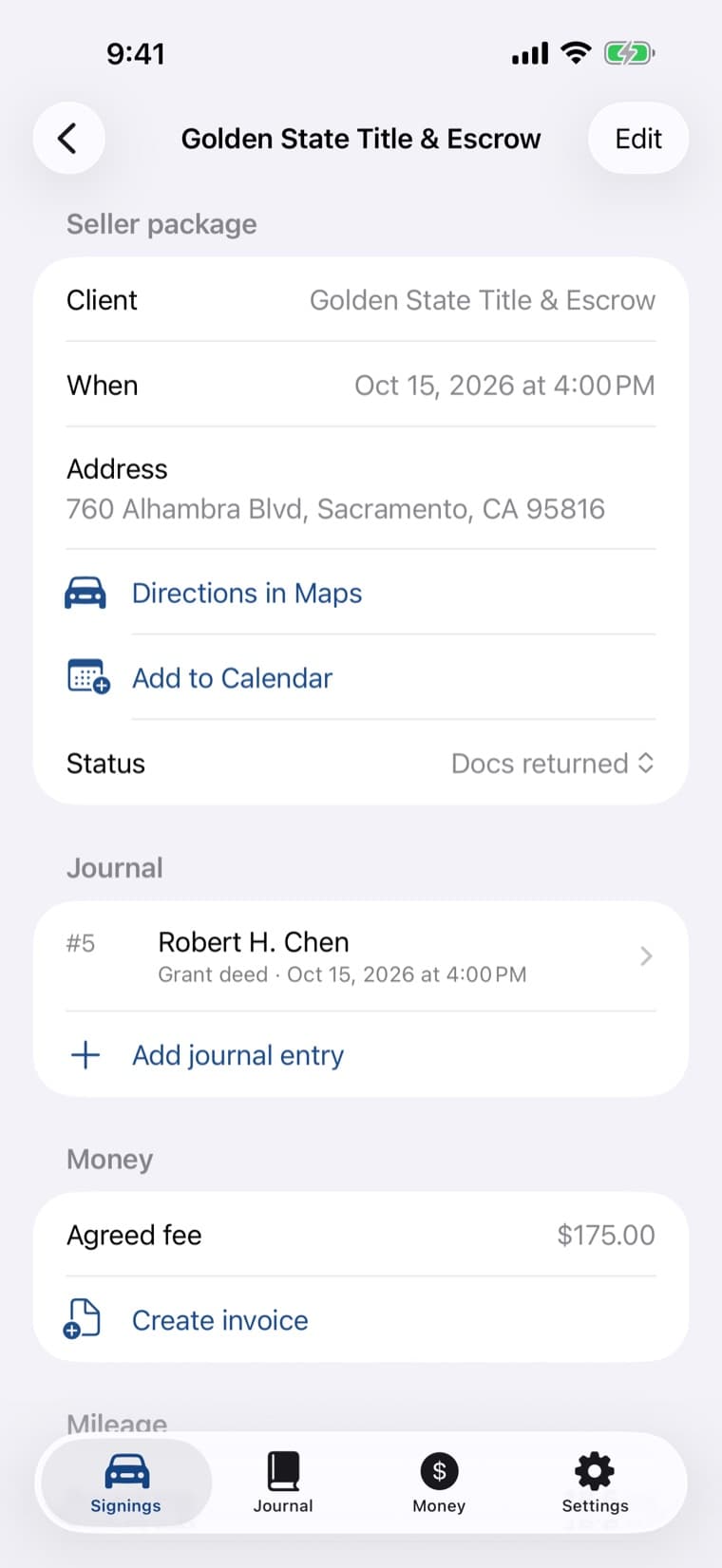
Miles and fees on the record
Round-trip miles from your home base through Apple Maps. The notarial fee stays apart from the travel fee.
03
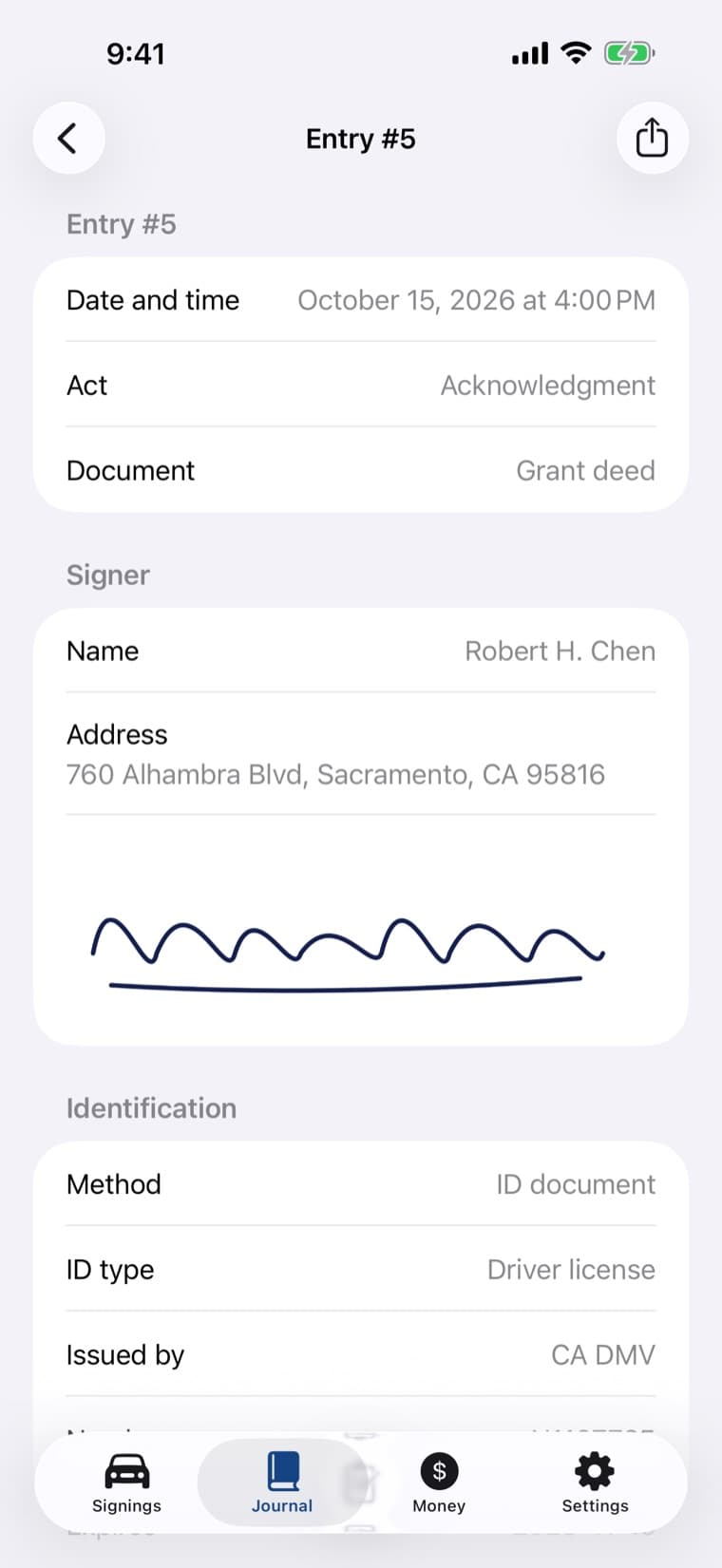
The journal entry
Act, document, signer, ID details and a signature drawn on the screen, then Finalize. The entry is numbered and sealed.
04
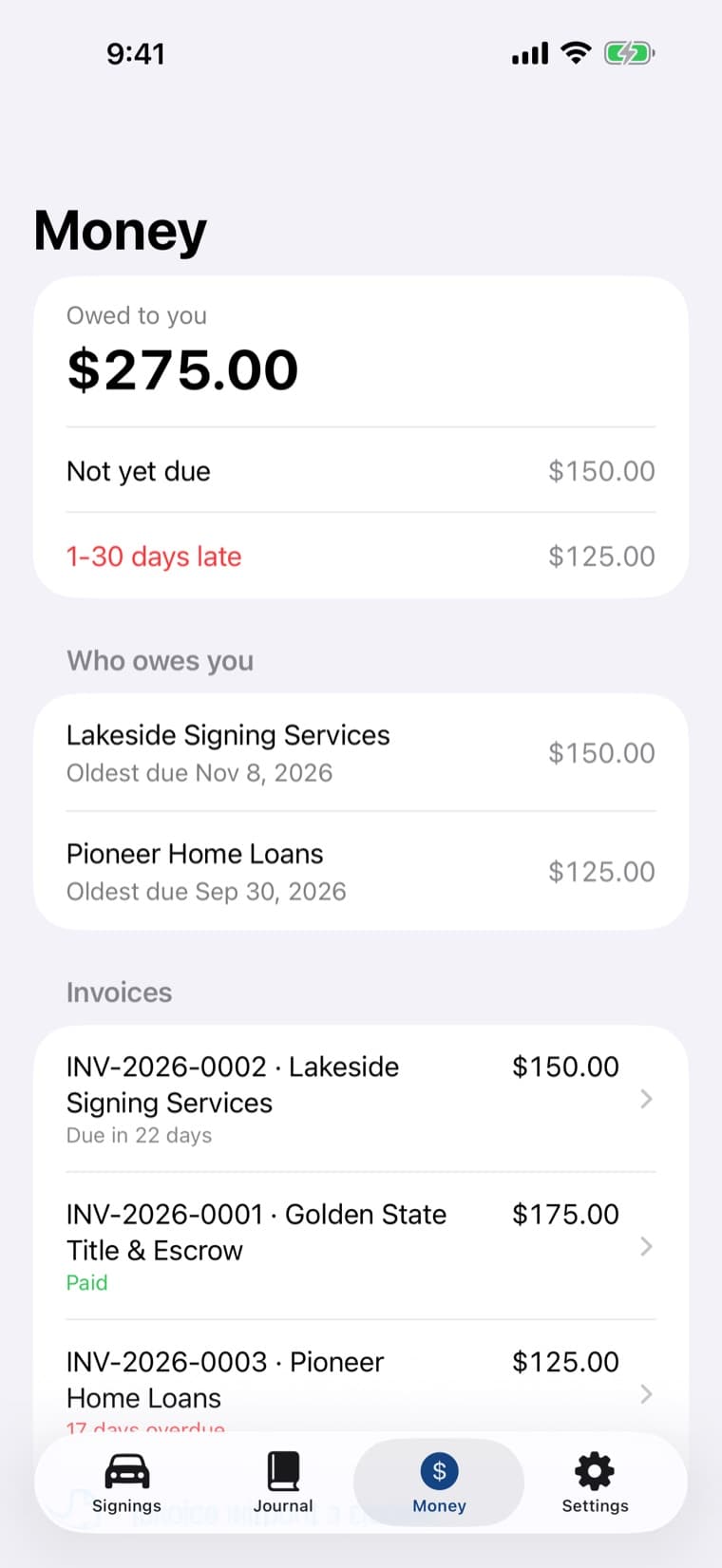
Invoice and who owes you
An invoice from the signing, payments recorded against it, and one screen that ages what is still unpaid.
The entry asks for what your state names, and shows where it says so.
Each rule in the app cites the statute or Secretary of State handbook it comes from and the date it was read. A field a state forbids is never stored, not just hidden.
California
Government Code § 8206, 2026 SOS Notary Public Handbook
- Credible witnesses with signatures and ID details; the thumbprint reference for real-property documents and powers of attorney.
Texas
Government Code § 406.014
- The fields § 406.014 lists for each act. A thumbprint is treated as prohibited and is never stored.
Every other state
A neutral profile you control
- Choose the fields you keep. No state-specific rule is claimed until it has been read in a primary source.
Embossa is a record-keeping tool, not legal advice, and is not affiliated with any Secretary of State or notary association. You remain responsible for your journal and for what your state requires, including whether it accepts an electronic journal.
Built for the part of the job that happens in someone else's kitchen.
Signer mode
Hand the phone over for a signature without handing over the journal: leaving the signature screen needs Face ID or your passcode.
ID scan
Reads the barcode on a driver license or the lines of a passport, check digits included. No photo is taken or stored.
Credible witnesses
Each witness with their own ID details and signature, required per witness where the state's profile says so.
Entries you cannot quietly change
Finalized entries are numbered in sequence and chained by hash. A mistake becomes a correction that points back to the original.
The journal on paper when asked
A journal PDF for any period with signatures and page numbers, the one-entry copy for a public request, and CSV.
Reminders, calendar, widgets
Opt-in appointment reminders, Add to Calendar, widgets for today's signings and what you are owed, and Siri shortcuts.
Notarial fees, counted apart.
Invoices with numbers that are never reused, a PDF to send, payments, and an aging list of who owes you. Expenses sorted by Schedule C line and a yearly report that separates notarial fees from travel and other income, for the conversation with your tax preparer.
Your journal never reaches us.
No account and no server. The journal lives on your iPhone behind Face ID and leaves it only when you export it or save a backup encrypted with a passphrase only you know. The app counts which features are used, anonymously and with no journal content; one switch in Settings turns that off.
Privacy policyQuestions, answered.
Mobile notaries and loan signing agents who keep a notary journal and also have to track mileage, fees and unpaid invoices for each signing.
No. There is no account and no server; the journal stays on your iPhone behind Face ID. It leaves only when you export a PDF or CSV, share an invoice, or save a backup encrypted with your own passphrase.
California and Texas have profiles built from the statute and the Secretary of State handbook, with the source and the date read shown in the app. Every other state starts from a neutral profile whose fields you choose.
That depends on your state, and in some states the question is not settled for in-person acts. Embossa is a record-keeping tool, not legal advice; check what your state requires before relying on an electronic journal alone.
No. A finalized entry is numbered in sequence and chained by hash. A mistake is fixed with a correction entry that points back to the original, and the app can verify that the chain is intact.
Your first 15 signings include every feature, with no subscription started. After that, Embossa Pro is a yearly or monthly subscription. Reading, searching and exporting what you have already recorded is never locked.
Embossa is in a TestFlight beta with working signing agents first. Email support@kuberstar.com with your state to join it.
iPhone with iOS 18 or later.

Record your next signing in Embossa.
The beta is open to working notaries and signing agents. Tell us your state and we will send a TestFlight invite.